












Shopify Scripts to Functions: The Post-Sunset Audit (What Stopped Working on 30 June and How to Replace It)
August 2, 2026
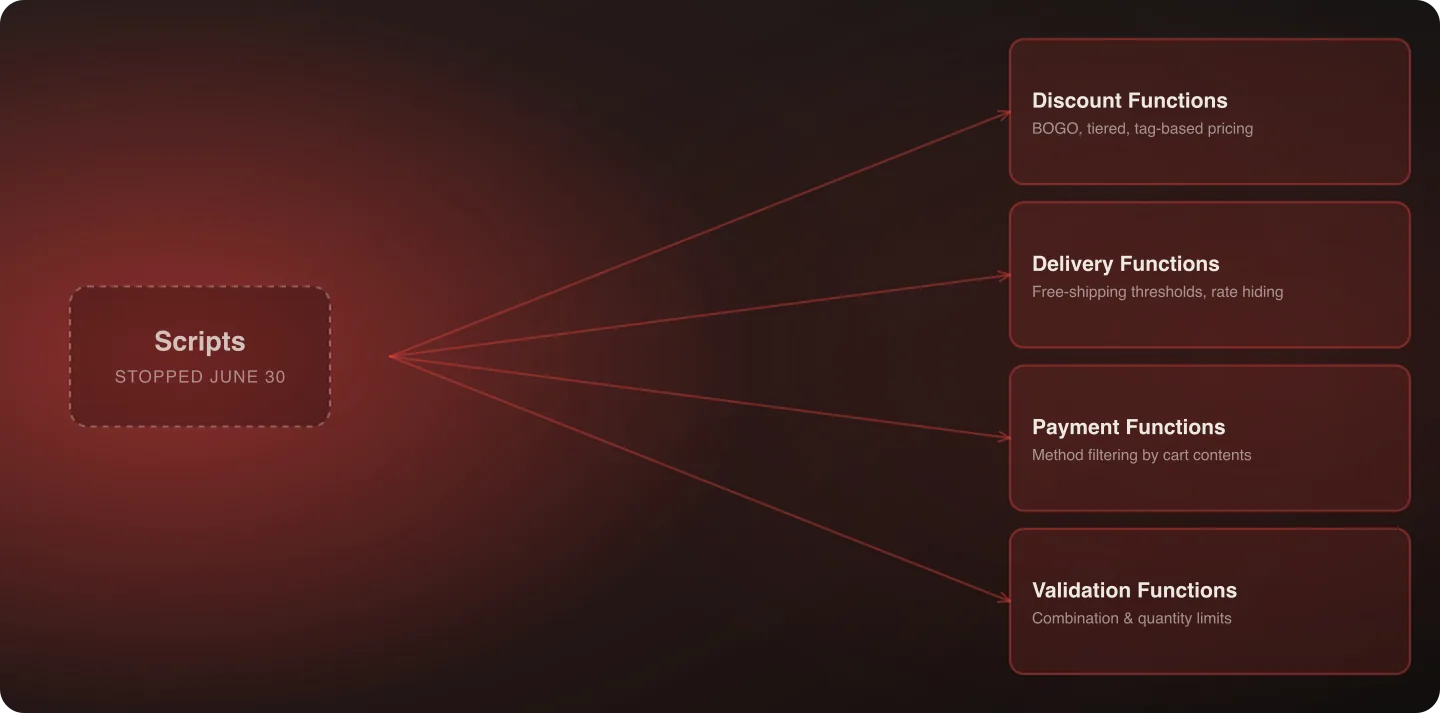
Shopify Scripts stopped executing entirely on June 30, 2026. If your store had discount, shipping, or payment logic built in the Script Editor, it isn't running anymore — and because Scripts fail silently rather than throwing visible errors, many stores don't yet know what broke. Here's the audit process and how each common Script pattern maps to a Shopify Function.
Last verified: September 6, 2026.
Why This Deadline Is Different from the Others
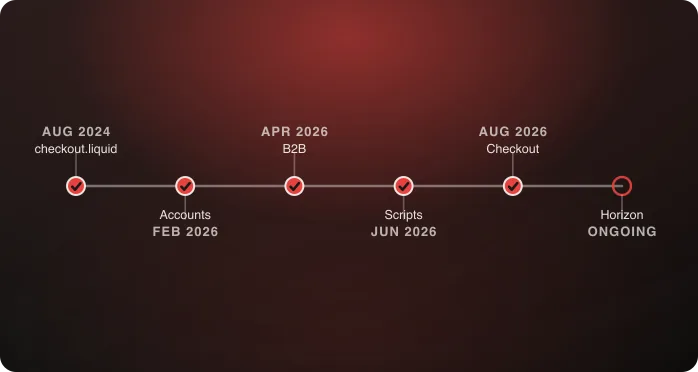
Every other deadline in this cluster gives you a visible signal something needs attention — a deprecation notice, an admin warning, a page that stops rendering. Scripts don't. A discount rule that stopped applying on June 30 doesn't announce itself; a cart that should qualify for free shipping just silently doesn't get it. There's no error banner, no failed request in your logs in the way a broken integration would show up — the logic simply stops being evaluated, and the checkout proceeds as if the rule never existed. This is the deadline on this entire page most likely to already be costing revenue without anyone noticing, and it's been passed for over two months as of this writing. → For the full 2026 timeline, see Shopify's 2026 Deadlines.
The Audit: Test Behavior, Not Configuration
The single most important instruction in this post: don't check whether a Script rule still exists in your admin — test whether it still does anything. A Script can still be “there” in the sense that its configuration wasn't deleted, while doing nothing at all, because Scripts simply stopped executing on June 30. Checking that a rule “exists” tells you nothing about whether it's functioning.
Concrete audit steps, and why each matters:
- Discounts — add items to a cart that should qualify for every automatic discount rule you had (buy-one-get-one, spend-threshold discounts, customer-tag-based pricing). Confirm the discount actually applies at checkout, not just that the rule exists in Discounts settings. If you have multiple discount rules that used to interact (stacking rules, or rules that should mutually exclude each other), test those combinations specifically — this is where silent breakage is easiest to miss, since a partially-working discount can look correct at a glance.
- Shipping — test every custom shipping rate rule the same way, live, with a real cart. Free-shipping-over-$X thresholds and rate-hiding logic (e.g., hiding expensive rates for certain product types, or restricting rates by destination) are the most common Script-based shipping patterns. Test with carts that should and shouldn't qualify, and confirm both directions behave correctly.
- Payment — if you had payment-method filtering (hiding a payment method for certain cart contents, countries, or customer types), test that the filtering still applies. This is often the lowest-traffic Script use case but can be the most consequential when broken, since an unintended payment method appearing (or a needed one disappearing) directly affects conversion.
- Cart validation — if you had logic blocking certain product combinations (incompatible items, quantity limits tied to specific SKUs), test that validation is still enforced. This category is easy to forget during an audit since it doesn't map as intuitively to “discount” or “shipping” framing.
Mapping Common Script Patterns to Functions
| What the Script did | Function type that replaces it | Notes |
|---|---|---|
| “Buy one, get one” or tiered discounts | Discount Function (Product/Order discount) | Logic moves server-side; UI for the discount still shows in checkout as before |
| Spend-threshold free shipping | Delivery customization Function | Reads cart total, returns a modified shipping rate |
| Hiding shipping rates by product type or destination | Delivery customization Function | Same Function type as above, different logic |
| Customer-tag-based pricing or discounts | Discount Function, reading customer data | Requires the Function to have access to customer tag data — confirm your app/build supports this |
| Payment method filtering by cart contents | Payment customization Function | Runs at checkout, evaluates cart before payment methods render |
| Cart validation (blocking incompatible product combinations) | Cart and checkout validation Function | Different Function category from discounts/shipping/payment |
| Quantity limits tied to specific SKUs | Cart and checkout validation Function | Same category as above; commonly bundled with combination-blocking logic |
A Worked Example: Rebuilding a Spend-Threshold Shipping Discount
To make the rebuild process concrete, here's what migrating one common pattern actually looks like end to end:
- Identify the old behavior. The Script gave free shipping once a cart total exceeded $100, applied automatically at checkout with no customer action needed.
- Classify the Function type. This is a Delivery customization Function — it needs to read the cart's total value and modify which shipping rate is presented or its cost.
- Define the logic precisely. Does the $100 threshold apply to the pre-tax or post-tax total? Does it include or exclude the cost of gift wrapping or other add-ons? These are exactly the small details that were implicit in the old Script and need to be made explicit again in the rebuild — assumptions that lived in someone's head three years ago don't automatically carry over.
- Build and deploy. Unlike a Script, this requires actual development work — writing the Function, deploying it through an app, and configuring it in the admin to run at the right point in checkout.
- Test against the original threshold logic. Carts at $99.99, exactly $100, and $100.01 — confirm the boundary behaves as intended, not just the obvious middle case.
- Test interaction with other discounts. If this store also has a percentage-off promotion running simultaneously, confirm the two don't conflict or double-apply in an unintended way.
This same six-step process applies to every pattern in the mapping table above — the specifics change, but the sequence (identify old behavior precisely, classify the Function type, define edge-case logic explicitly, build, test the boundary, test interactions) doesn't.
What a Rebuild Actually Involves, in Terms of Effort
Functions aren't merchant-editable the way Scripts were — they're built, tested, and deployed through an app, typically requiring developer involvement rather than a quick admin edit. For each piece of logic identified in the audit:
- Identify which Function category it belongs to (discount, delivery, payment, or validation)
- Rebuild the logic — this is genuine development work, not configuration
- Test against the same scenarios used in the audit, plus edge cases the original Script may have handled that aren't obvious from testing the happy path alone
- Deploy and re-test in production with real (or realistic test) cart scenarios
A single, simple discount rule is a small, contained piece of work. A store with five or six interacting pieces of Script-based logic (discounts, shipping, and payment rules that all reference each other) is a genuine project requiring its own test plan, not five isolated small tasks — the interactions between rules are often where the real complexity lives, not any single rule in isolation.
Prioritization: Revenue First, Cosmetic Last
If your audit turns up multiple broken pieces of logic, prioritize by revenue impact: a broken discount or shipping rule affects every qualifying order; a broken payment-method filter is more of an edge case unless it was blocking a specific high-volume payment type. Don't let five small issues get equal priority — fix the ones touching every transaction first, and treat anything affecting checkout completion (as opposed to a minor merchandising rule) as the top of the list regardless of how simple or complex it is to fix.
A Second Worked Example: Rebuilding Payment Method Filtering
Not every rebuild is a discount or shipping rule. Here's the same process applied to a payment-filtering pattern:
- Identify the old behavior. The Script hid “buy now, pay later” as a payment option whenever the cart contained a specific category of high-value item, to avoid fraud risk on that product line.
- Classify the Function type. This is a Payment customization Function — it evaluates cart contents before payment methods render and can hide or reorder available options.
- Define the logic precisely. Which specific product tags or collections triggered the hide? Was it based on individual item value or cart total? These details, again, were implicit in the old Script and need to be re-specified explicitly.
- Build and deploy. Payment customization Functions have their own review and deployment process through Shopify — budget time for this step specifically, since payment-related changes sometimes go through additional platform-level review compared to discount or shipping Functions.
- Test against the trigger condition directly — a cart with and without the flagged product category, confirming the payment method correctly shows or hides.
- Test the fallback experience. If a customer's only preferred payment method gets hidden by this logic, confirm the remaining checkout experience is still coherent rather than leaving them in a dead end.
Setting Up a Testing Environment for Functions
Because Functions require actual deployment rather than a live-editable Script, testing benefits from a proper staging setup rather than testing changes directly against production. A workable approach:
- Use a development store or staging environment that mirrors production theme and app configuration as closely as possible
- Test each rebuilt Function in isolation first, using test carts built specifically to hit edge cases (exact threshold boundaries, empty carts, carts with unusual combinations of products)
- Only after each Function passes isolated testing, test the full checkout flow with multiple Functions active simultaneously, since interaction effects between discount, shipping, and payment Functions are a common source of bugs that isolated testing alone won't catch
- Keep a written record of every test scenario and its expected outcome — this becomes valuable regression-testing documentation for any future changes to the same logic
What Happens to Reporting and Analytics
A detail easy to overlook: if your old Scripts fed any custom reporting (a dashboard tracking how often a specific discount was used, for instance), that reporting stopped updating on June 30 right along with the Script itself. Rebuilding the underlying logic as a Function doesn't automatically restore reporting that was built against the old Script's specific implementation — if discount usage reporting matters to the business, it needs to be explicitly rebuilt against the new Function-based implementation, not assumed to resume automatically.
Coordinating with Your Development Team or Agency
Because this work requires actual development rather than admin configuration, the coordination overhead is real. If multiple pieces of Script-based logic are being rebuilt simultaneously, assign clear ownership per Function category (discount, shipping, payment, validation) rather than treating the whole audit as one undifferentiated backlog item — this makes it easier to track what's been tested and signed off versus what's still in progress, and avoids the scenario where “the Scripts migration” sits as one large, ambiguous ticket for weeks with no clear sense of partial progress.
What We're Seeing Across Audits
A pattern worth naming: stores that ran a single, simple Script often assume they have nothing to worry about, while stores that built several interacting Scripts over years often don't remember everything that was in place. The second group's audit routinely turns up at least one broken rule nobody expected — usually a shipping-rate rule or a legacy discount that predates the current marketing team, no longer documented anywhere except in the now-nonfunctional Script itself. If your Script history goes back more than a year or two, budget extra time for the inventory step specifically, since the audit itself often becomes an archaeology project before it becomes a rebuild project.
A second pattern: stores that outsourced their original Script development to an agency that's no longer engaged sometimes have no internal documentation of the logic at all. In these cases, the most reliable audit method is behavioral — systematically testing every discount code, shipping scenario, and payment configuration the marketing and operations teams remember ever setting up, rather than trying to reconstruct the original Script code itself. Talking to whoever ran promotions and marketing campaigns over the Script's lifetime is often more productive than searching for old technical documentation, since promotional logic tends to be remembered in terms of “what deal we ran,” not in terms of the underlying Script implementation.
Budgeting Realistic Timelines
For a store with a small number of simple, independent Script rules, expect the full audit-to-rebuild-to-test cycle to run one to two weeks. For a store with five or more interacting rules across discount, shipping, and payment categories, expect four to six weeks, largely driven by the interaction-testing phase rather than any single rule's rebuild. Stores in the second category that treat this as a one-to-two week project consistently under-scope it, since the complexity is concentrated in how rules interact with each other, not in any single rule's individual rebuild.
The Mistake We See Most Often Here
Teams that rebuild the logic correctly but don't load-test it against realistic volume. A discount Function that works correctly for a single test cart can behave differently under real concurrent checkout volume, particularly around Black Friday/Cyber Monday-scale traffic, where many carts are evaluating the same Function simultaneously. Test rebuilt logic under volume, not just for correctness — a Function that's logically correct but slow under load can itself become a checkout bottleneck, trading one problem for another.
Frequently Asked Questions
How do I know if my Shopify Scripts stopped working?
Test the actual behavior — add qualifying items to a cart and confirm discounts, shipping rates, or payment filtering still apply. Don't just check that the rule configuration still exists in your admin; Scripts fail silently.
What replaces Shopify Scripts?
Shopify Functions, organized by category: Discount Functions, Delivery customization Functions, Payment customization Functions, and Cart/checkout validation Functions. Each Script pattern maps to one of these categories.
Can I still edit Scripts in my admin?
The configuration may still be visible, but Scripts stopped executing on June 30, 2026 — editing a non-functional Script doesn't restore functionality. That logic needs to be rebuilt as a Function.
Is rebuilding a Script as a Function a simple configuration change?
No — Functions are built and deployed through development work, not edited live in an admin panel the way Scripts were. Budget real development time, scaled to how many distinct pieces of logic you had and how much they interacted with each other.
What happens if I had multiple Scripts that interacted with each other?
This is where audits typically find the most complexity. Rebuild and test each piece individually, but also test the combinations — a discount and a shipping rule that used to interact correctly under the old Script model need to be verified together under Functions, not just separately.
How urgent is this compared to the other 2026 deadlines?
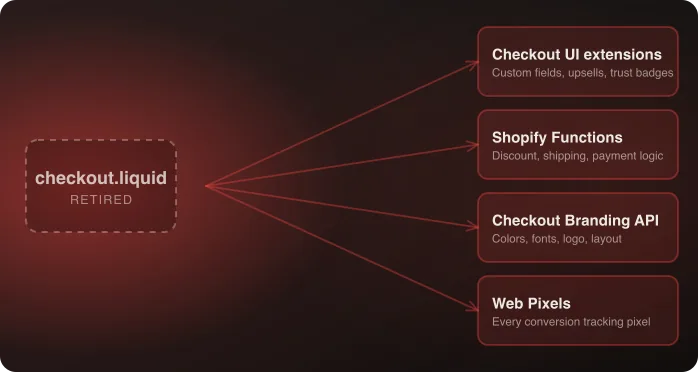
Arguably the most urgent in practice, since it's the only one that fails silently. The checkout.liquid and customer accounts deadlines are visible when missed; broken Script logic can sit unnoticed and costing revenue for months.
Does rebuilding a Script as a Function also restore any custom reporting I had built around it?
No — reporting built against the old Script's specific implementation stopped updating when the Script did, and rebuilding the underlying logic as a Function doesn't automatically restore it. If usage reporting matters, it needs to be rebuilt explicitly against the new implementation.
Do payment customization Functions go through additional review compared to discount or shipping Functions?
Sometimes — payment-related changes can involve additional platform-level review as part of deployment. Budget for this in your timeline rather than assuming identical turnaround across every Function type.
Find out what silently broke on your store — talk to an architect.