












Data Migration for Ecommerce: Parity, Not Assumption
August 11, 2026
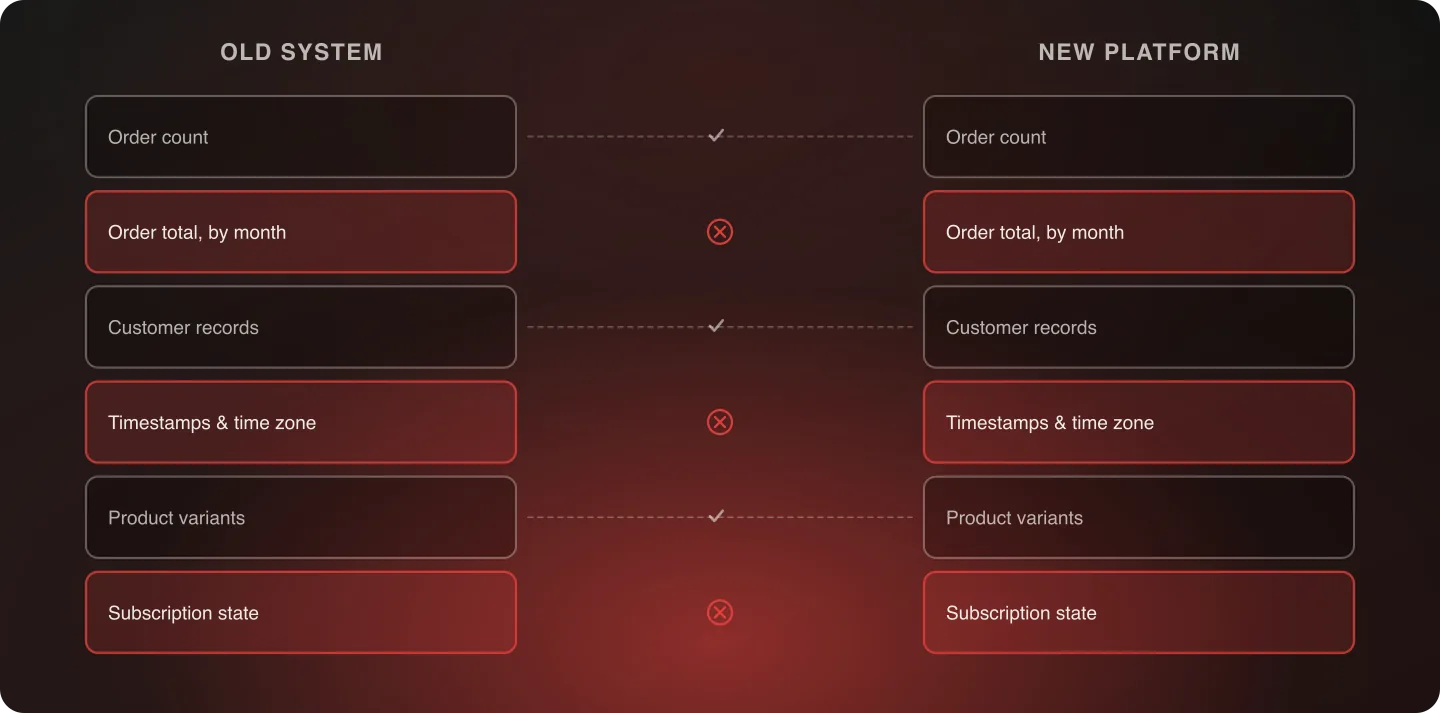
Data migration parity means systematic field-by-field reconciliation between old and new systems — order history, customer records, product catalog, and analytics continuity — not a spot-check that happens to look fine. Matching record counts with individual discrepancies underneath is the most common false-confidence trap in a migration.
Last verified: September 6, 2026.
What needs parity testing
- Order history — every order reconciled against the source system, not a sample
- Customer records — including saved payment methods, addresses, and any loyalty or subscription status
- Product catalog — pricing, variants, inventory counts, and custom attributes
- Historical analytics continuity — so year-over-year reporting doesn't break at the migration boundary
Subscription and loyalty state deserve particular attention on any brand that has them, because they're the categories where a silent error becomes a customer-facing failure fastest. An order history discrepancy surfaces when someone disputes an order; a broken subscription surfaces on the next billing date, at scale, all at once.
What real parity testing looks like
Export the full order history from both systems and compare record counts, then compare a statistically meaningful sample field by field — not just totals. A count match with individual-record discrepancies is the most common false-confidence trap in a migration: totals can match while individual records are subtly wrong in ways that surface later, often when a customer disputes an order.
The field-level checks worth automating rather than eyeballing are the ones where a systematic error is plausible: currency and tax amounts, timestamps and time zones, order status mapping between two systems that don't use the same vocabulary, and any field where the old system allowed a value the new one doesn't. Those four account for most of what a count-only check misses.
Reconcile at more than one level, too. Record counts, then aggregate sums — total order value by month is a cheap check that catches a whole class of currency and rounding errors — then field-by-field on a sample. Each level catches a different kind of failure, and the aggregate check in the middle is the one teams most often skip.
Time zones, currencies, and the errors that hide in aggregates
Two specific traps worth naming. Time zones: if the old system stored timestamps in local time and the new one stores UTC, or vice versa, order dates shift by hours and a small percentage of orders move across a day or month boundary. Monthly totals then almost match, which is worse than clearly not matching.
Currencies: multi-currency stores can migrate with the presentment currency and the settlement currency swapped on a subset of records, producing totals that look plausible per order and wrong in aggregate. Both errors are invisible to a spot-check of individual records that each look fine on their own.
Integration continuity as the default posture
The instinct on many replatforms is to replace every existing integration with the new platform's native option. A more disciplined question: does this system need to be replaced, or does it just need to be connected differently?
Nuts.com's migration integrated the existing OMS and WMS rather than replacing them, preserving institutional knowledge and staff familiarity while still achieving an 85% reduction in custom code — and preserving five custom product builders that made the original storefront work. Read the Nuts.com case study. Replacing a working system introduces new risk for no guaranteed benefit; integrating it keeps the risk where it already is.
Historical analytics, and why it's the one people forget
Analytics continuity rarely appears on a migration checklist because nothing breaks visibly when it's missed. It surfaces months later, the first time someone tries to compare this year against last and finds the series has a discontinuity at the migration boundary.
The fix is cheap if done in advance and expensive afterwards: agree what historical data needs to survive, export it in a form that doesn't depend on the old platform being available, and verify the new platform's reporting reproduces known historical numbers before the old system is decommissioned.
Deciding how much history to bring
Not every record needs to move, and treating "migrate everything" as the default is how a data migration becomes the phase that sets the timeline. The question is worth answering explicitly, per data type, before anyone starts.
- Orders. Customers expect to see their own history, and support needs it for disputes and returns. Most brands migrate the full history for customer-facing purposes, or a recent window (often two to three years) with older records kept in an accessible archive rather than in the new platform.
- Customers. All active records, always. The judgment call is what counts as active — accounts with no order and no session in five years may be better archived than migrated, particularly where data-minimization obligations apply.
- Products. Discontinued SKUs with no traffic and no order history are candidates for archiving rather than migration, but check the URLs first: a discontinued product page with backlinks is an SEO asset even when the product is gone, and it needs a redirect whether or not the record moves.
- Analytics. Rarely migrates at all in a usable form. Export it independently instead, so the historical series survives the old platform being switched off.
Whatever you decide, write it down and tell support and finance before launch. The expensive version of this is a support agent discovering on their own, in front of a customer, that orders before a certain date are no longer visible.
Where the reconciliation work actually goes
Teams routinely budget for the extraction and the load and not for the reconciliation, which is where most of the calendar time goes. A realistic shape:
- Profiling the source data — before mapping anything, find out what's actually in the old system. Duplicate SKUs, records with missing required fields, values in formats the new platform won't accept. This is discovery work, and doing it during migration rather than before it is the single most common cause of a data phase overrunning.
- Mapping and transformation — the part everyone plans for.
- A dry-run migration into a staging environment, reconciled fully, so the real one is a repeat rather than a first attempt.
- Remediation — fixing what the dry run found, either in the source data or in the transformation.
- The production migration and a final reconciliation, run against the frozen source.
Step one and step four are the ones that get cut when the schedule tightens, and they're the two that determine whether the parity testing at the end finds a handful of issues or several hundred.
Where this fits
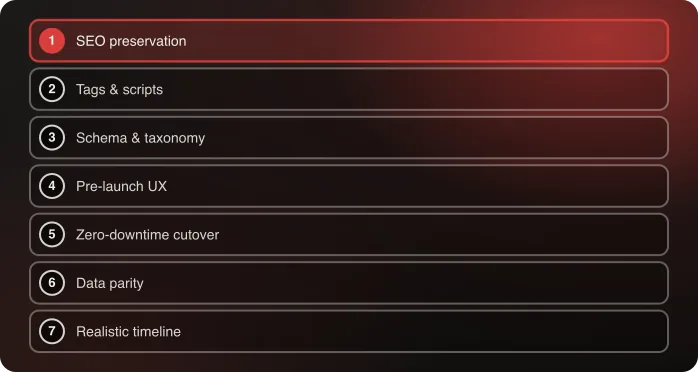
Data migration parity is the sixth of the seven disciplines in Anatta's replatforming method, and it's the one the cutover plan depends on — a zero-downtime cutover is only as good as your confidence in the data on the other side of it.
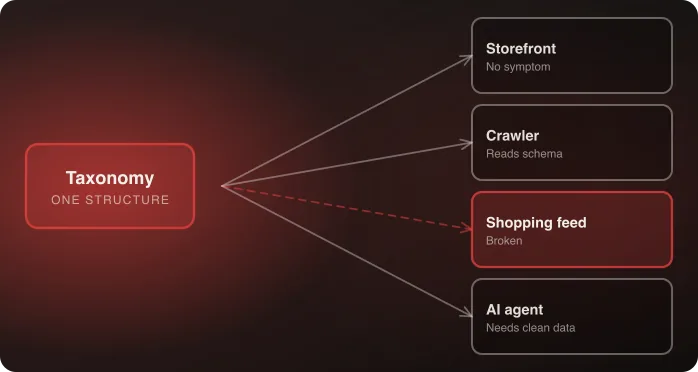
Product schema and taxonomy mapping covers the structured-data half of this discipline: parity testing verifies the product records arrived, schema mapping verifies they're legible to everything downstream that reads them.
Frequently Asked Questions
What's the biggest mistake in data migration parity testing?
Verifying by record count alone rather than field by field on a meaningful sample. Totals can match while individual records are subtly wrong — a gap that often surfaces only when a customer disputes an order.
Should existing integrations be replaced during a replatform?
Not by default. Integrate a working system rather than replacing it unless there's a specific reason to. Replacing introduces new risk without guaranteed benefit; integrating preserves institutional knowledge and staff familiarity.
Which data fields most often migrate incorrectly?
Currency and tax amounts, timestamps and time zones, order status mapping between systems with different vocabularies, and any field where the old system allowed a value the new one doesn't. All four survive a count-only check.
What about historical analytics — does that need migrating too?
Yes, and it's the item most often forgotten because nothing breaks visibly when it's missed. Agree what history needs to survive, export it independently of the old platform, and verify the new reporting reproduces known historical numbers before decommissioning anything.
Do we have to migrate the full order history?
Not necessarily. Many brands migrate a recent window and keep older orders in an accessible archive. Decide per data type, write the decision down, and tell support and finance before launch — the expensive version is an agent discovering the cutoff in front of a customer.
Why do data migrations overrun?
Because teams budget for extraction and load but not for profiling the source data beforehand and remediating what a dry run finds. Those two steps are the first cut when a schedule tightens, and they decide whether final parity testing finds a handful of issues or several hundred.
Talk to an architect about your data migration plan.

Related