












Product Schema & Taxonomy Mapping: The Replatform Step Most Teams Skip
August 18, 2026
Product schema markup, category taxonomy, and shopping-feed compatibility need explicit migration planning during a replatform — they don't carry over correctly by default, and a broken migration here is invisible on the storefront itself. It shows up instead as silently broken Google Shopping feeds, Meta Catalog sync failures, and product data that's unreadable to AI shopping tools, weeks after launch.
Last verified: September 6, 2026.
Why this gets missed
Functional QA during a replatform asks "does the storefront work correctly." That question has a natural, visible answer — a broken product page looks broken. Product schema and taxonomy don't work that way. A product page can render perfectly for a human shopper while the structured data underneath it is completely wrong, missing, or duplicated. There's no visual signal, which means this category of problem passes every conventional pre-launch check and surfaces later, somewhere else entirely — a shopping feed that stops updating, a marketplace listing that silently falls out of sync, or a category page that search engines can no longer parse the way they used to.
It's the same structural blind spot that hides broken marketing tags during a migration, and it has the same fix: a dedicated audit with its own owner, rather than an assumption that whoever handled the visible half also handled the invisible one.
What needs explicit mapping, not just migration
Product schema markup. Structured data identifying price, availability, reviews, and variant information for each product. The critical thing to verify is the new platform's default schema output, not just whether some schema exists. Platforms generate their own default schema automatically, and that default can silently override or conflict with custom schema markup that took real development effort to build on the old system. Verify what the new platform actually outputs — don't assume it's additive to what existed before.
Category and collection taxonomy. The hierarchy connecting individual products to categories and collections needs to carry over in a structure both search engines and shopping feeds can traverse — not just a structure that happens to render correctly in the storefront's own navigation menu. A taxonomy can look fine to a shopper clicking through categories while being structurally incompatible with how a shopping feed expects to parse it.
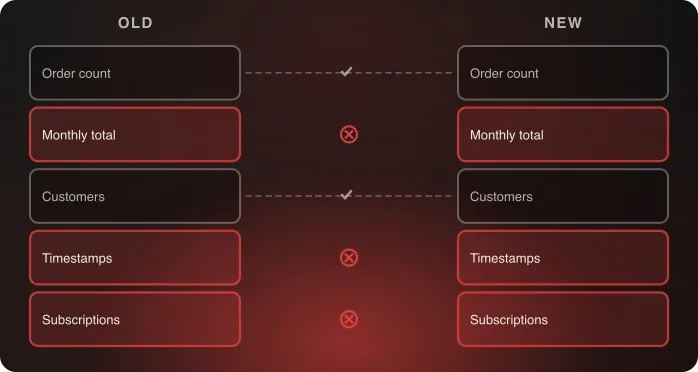
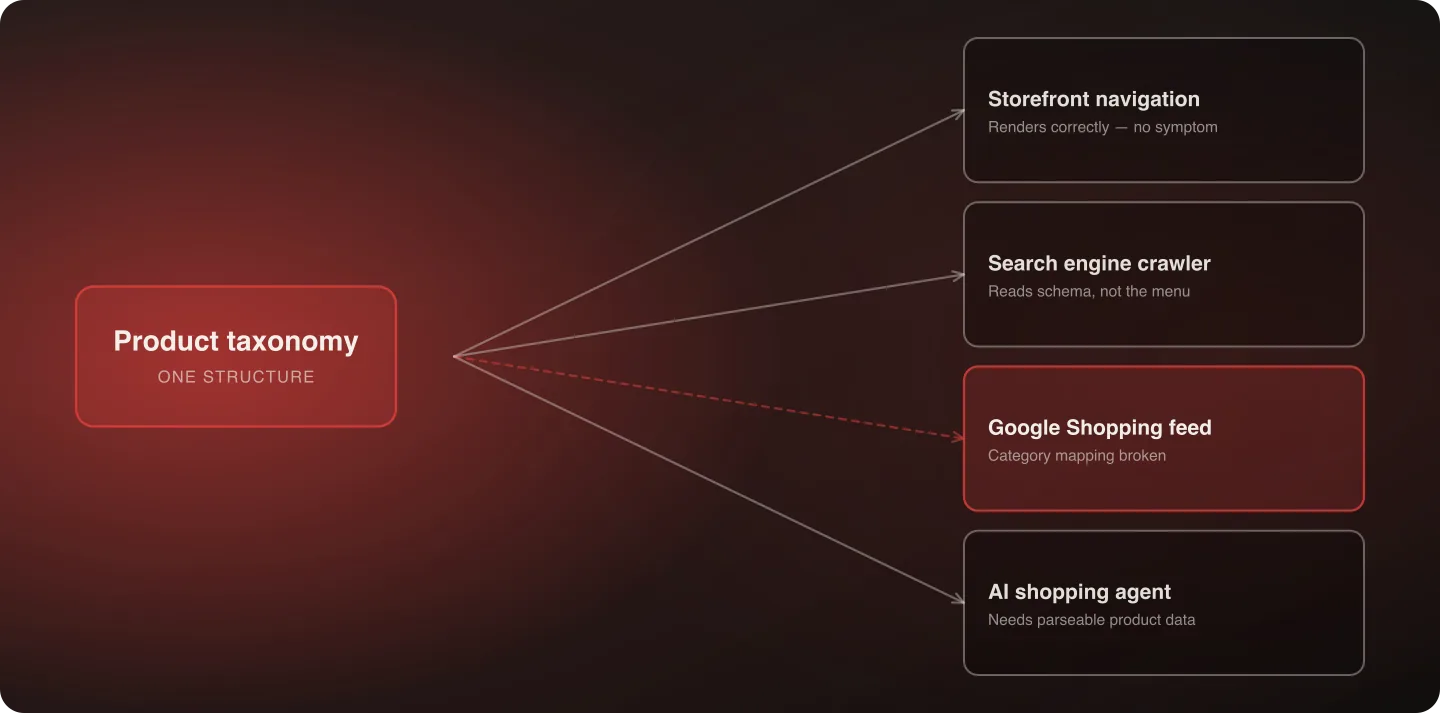
Product feed compatibility. Google Shopping, Meta Catalog, and similar feeds depend on consistent, correctly-mapped product data flowing from your platform. A taxonomy or schema change during migration can silently break feed ingestion even when the storefront itself displays every product correctly — the feed and the storefront are two separate consumers of the same underlying data, and testing one doesn't verify the other.
Variant and attribute mapping. Product variants (size, color, material) and custom attributes need to migrate with their relationships to the parent product intact. A common failure mode: variants migrate as technically-correct individual products but lose their grouped relationship to each other, which breaks both the shopper-facing variant selector and any shopping feed logic that depends on variant grouping.
A migration checklist
- Export the full schema and taxonomy structure from the old platform before migration begins — not just the product data itself, but the structural relationships: category hierarchy, variant grouping, custom schema fields.
- Verify the new platform's default schema output against what existed on the old system, field by field, rather than assuming equivalence.
- Map the category taxonomy explicitly to the new platform's structure, testing traversal from both the storefront navigation and a crawler's perspective — these can diverge even when both look correct from their own vantage point.
- Test shopping feeds directly against their platform's own validation tools — Google Merchant Center's diagnostics, Meta Commerce Manager's catalog health check — rather than assuming feed compatibility because the storefront renders correctly.
- Monitor feed health for at least two to four weeks post-launch, since feed ingestion issues sometimes take a full sync cycle or two to surface as visible errors in the platform's own diagnostics.
A worked example: what actually goes wrong
To make this concrete, here's a common failure sequence. A brand migrates a catalog with a three-level category hierarchy — Department → Category → Subcategory — into a new platform whose default taxonomy model only supports two levels natively. The storefront navigation gets rebuilt to compensate: subcategories become tags rather than true hierarchy nodes, and it looks completely fine to a shopper browsing the site.
But the Google Shopping feed, which was mapped against the original three-level structure, now can't resolve product-to-category relationships correctly. Products stop syncing to their expected Shopping categories, impression volume in Shopping results quietly declines over the following weeks, and because the storefront itself never showed a symptom, nobody connects the decline to the migration until someone specifically audits the feed.
That's the exact pattern worth watching for: a structural mismatch that gets "solved" for the storefront's sake while leaving the feed-facing structure broken, because the two consumers of the same taxonomy were never tested independently.
Who should own this during a replatform
This work sits at the intersection of SEO, data migration, and marketing operations, which means it's genuinely easy for it to fall into a gap between teams — the SEO lead assumes data migration owns it, data migration assumes it's a marketing/feed-operations concern, and marketing operations assumes it was handled as part of the technical migration. Naming a single owner for schema and taxonomy mapping specifically, distinct from general data migration ownership, closes this gap before it becomes a post-launch surprise.
If you are rebuilding rather than merely moving a taxonomy, the design side of the question is worth reading alongside this: ecommerce product taxonomy explained covers how to structure one for shoppers, where this post covers getting an existing one across a platform boundary intact.
Nuts.com's migration is a useful reference for how much structure a catalog can carry: five custom product builders and the whole product data model moved onto Shopify Plus intact, which only works when someone owns the structure rather than only the records.
Why this increasingly matters beyond traditional search
As AI-driven shopping tools and shopping agents become a more common way products get discovered and evaluated, having product data structured cleanly enough for a machine to parse correctly — not just for a human browsing the storefront — is a growing part of what "preserving organic visibility" actually means during a replatform. A catalog that looks completely fine to a human shopper while being structurally messy underneath is a compounding liability for both traditional shopping feeds and newer AI-driven discovery, because both depend on clean, parseable product data and neither leaves a visible trace when it fails.
Agentic Operating System vs. Agentic Commerce covers why product data structure matters for AI shopping agents specifically.
Where the storefront and the feed disagree
Because the two consumers read the same data differently, a few specific divergences recur often enough to check for by name.
- Price and availability. The storefront renders whatever the platform gives it in real time; a feed reads a snapshot on its own sync schedule. A products-in-stock discrepancy of hours is normal, of days is a broken sync, and only one of the two surfaces will show it.
- Identifiers. GTIN, MPN and brand fields drive matching in Shopping and marketplaces, and they are frequently stored in custom fields on an old platform that the new one has no obvious home for. A product without them still renders perfectly and matches nothing.
- Images. Feeds have their own requirements — a primary image, minimum dimensions, no promotional overlays — that a storefront doesn't enforce. A migration that regenerates image derivatives can satisfy the storefront and fail the feed.
- Multi-market and currency. Where a catalog serves several markets, the feed needs to know which price and availability apply to which. This is a common place for a migration to collapse a distinction that used to exist.
Verify it the way each consumer reads it
Four checks, each against the tool that reads the data rather than against the page a human sees. Google's Rich Results Test for the schema a crawler will parse. Google Merchant Center's diagnostics for the Shopping feed. Meta Commerce Manager's catalog health check for the Meta catalog. And a crawl of category pages to confirm the hierarchy traverses the way the taxonomy claims it does.
Run all four against staging before launch, then again a fortnight after, because feed platforms surface some categories of error only after a full sync cycle has run against live data.
How this connects to the rest of the replatform
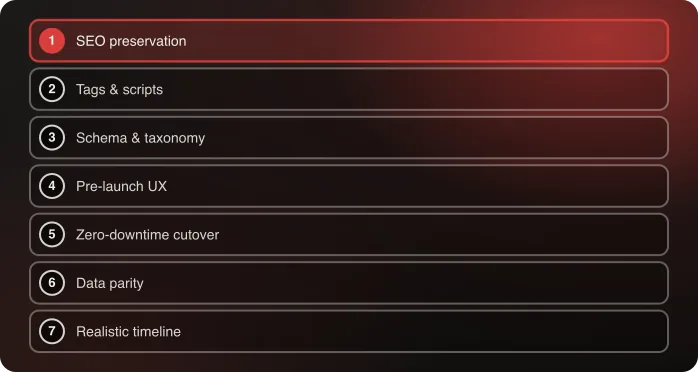
This work runs in parallel with — and depends on — the redirect mapping and data migration parity testing covered in how to replatform without losing revenue. Product schema and taxonomy mapping is really the structured-data counterpart to that broader SEO preservation discipline: one protects your URLs and rankings, the other protects your product data's legibility to every system that reads it beyond your own storefront.
Two neighbouring reads: data migration parity testing covers reconciling the product records themselves, and the SEO preservation playbook covers the URL and metadata half.
Frequently Asked Questions
Does product schema really need special migration planning, or does it just carry over automatically?
It needs explicit planning. Platforms often generate their own default schema automatically, which can silently override or conflict with custom schema built on the old system. Verify the new platform's actual output rather than assuming it's additive.
How do I know if my shopping feeds broke during a replatform?
Check each platform's own validation tools directly — Google Merchant Center's diagnostics, Meta Commerce Manager's catalog health check — rather than assuming feed health because the storefront displays correctly. Feed and storefront are separate consumers of the same data and can diverge.
What's the most commonly missed piece of a product data migration?
Variant and attribute grouping. Variants can migrate as individually correct products while losing the relationship that groups them together, breaking both the shopper-facing selector and shopping-feed logic that depends on that grouping.
Why does product schema matter for AI shopping tools specifically?
AI-driven shopping agents and discovery tools depend on cleanly structured, parseable product data to research and transact against a catalog correctly. A catalog that looks fine to a human shopper but is structurally messy underneath is a growing liability for this kind of discovery, not just traditional search.
Who on our team should own product schema and taxonomy mapping during a replatform?
Name a single explicit owner rather than assuming it falls under general data migration or SEO ownership. This specific work sits at the intersection of several teams and is one of the most common things to fall into a gap between them.
Can a taxonomy restructure that looks fine on the storefront still break shopping feeds?
Yes, and this is the most common failure pattern. A taxonomy change made to solve a storefront navigation problem can leave the feed-facing category structure broken, since the storefront and the feed are separate consumers of the same underlying data and rarely get tested independently.
Talk to an architect about your product data migration.

Related