












Why Organic Traffic Drops After Replatforming
August 24, 2026
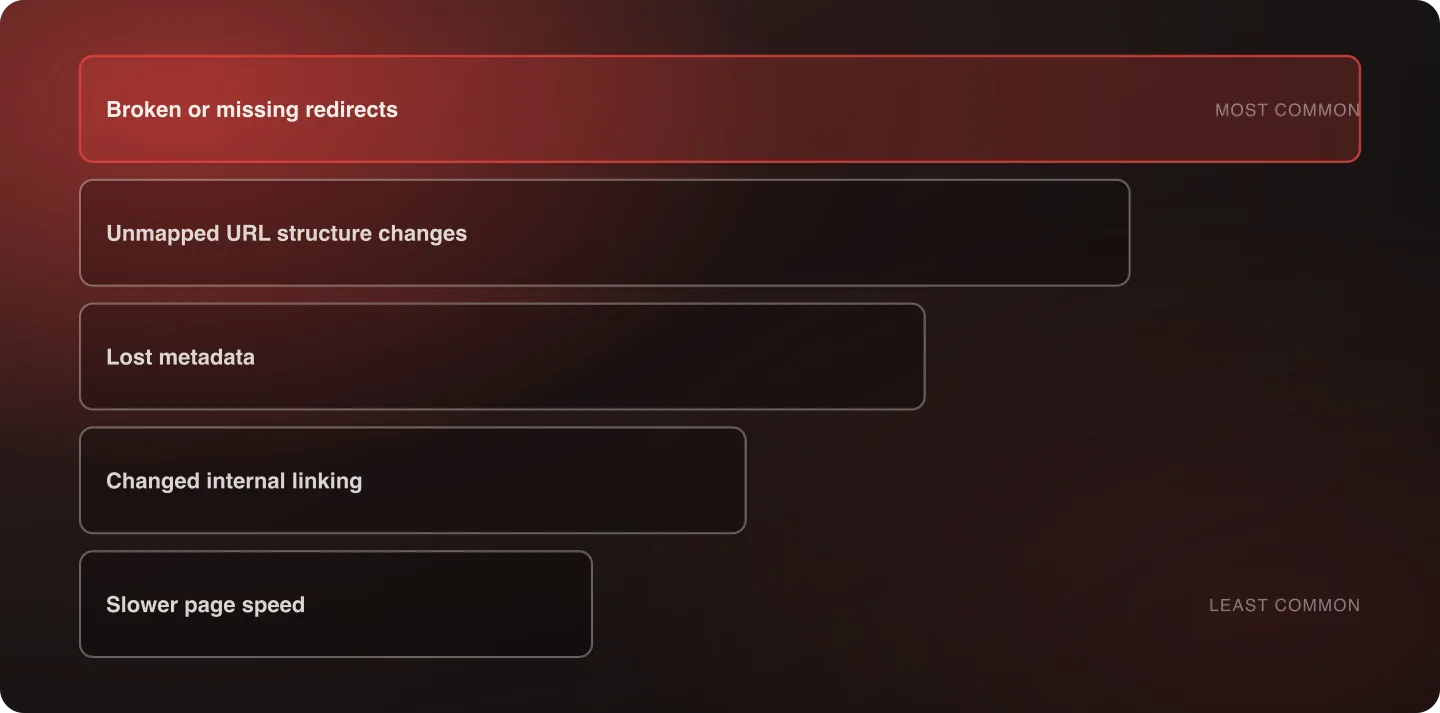
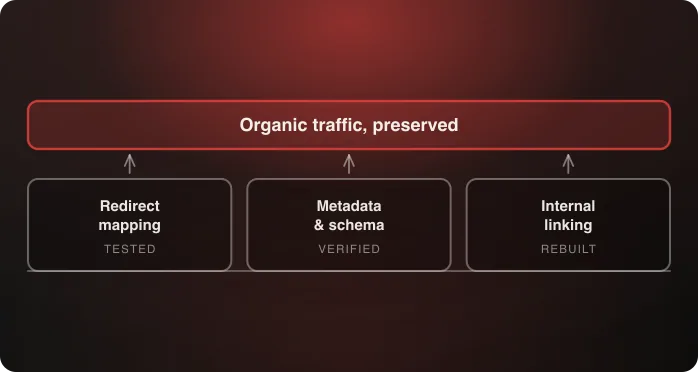
Post-migration organic traffic loss traces to five causes, in order of frequency: broken or missing redirects, unmapped URL structure changes, lost metadata, changed internal linking that orphans pages, and slower page speed on the new platform. All five are preventable before launch, and all five are diagnosable after it.
Last verified: September 6, 2026.
The five causes, ranked by how often we see them
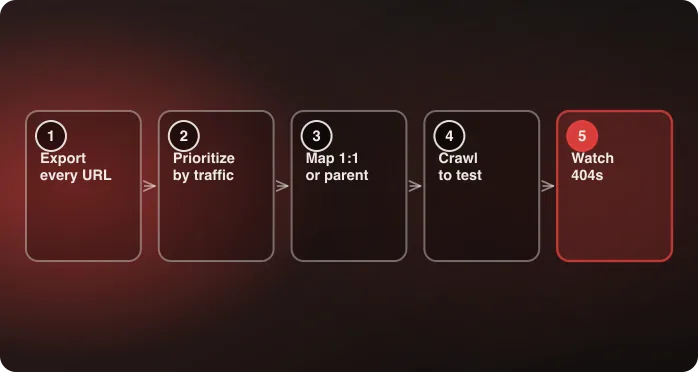
1. Broken or missing redirects. By far the most common cause, and the one most likely to be responsible if the drop is sharp and immediate. See the full redirect mapping process for how the gaps get there in the first place.
2. Unmapped URL structure changes. Even with redirects in place, a wholesale URL pattern change without careful mapping confuses both search engines and returning visitors — particularly when the new pattern collapses distinctions the old one made, so several old URLs now point at one new page.
3. Lost metadata. Title tags and meta descriptions that didn't carry over from the old CMS, usually because the new platform's default generation silently replaced custom values rather than deferring to them.
4. Changed internal linking. Pages that depended on the old link structure for ranking signal get orphaned or under-linked. This one produces a slower, page-type-specific decline rather than a site-wide cliff, which is why it often gets diagnosed last.
5. Slower page speed. An independent ranking factor. A platform migration that inadvertently slows the site costs rankings on its own, separate from any redirect or metadata issue.
How to tell which cause is behind a specific traffic drop
Guessing wastes weeks. Segment the decline by page type first — product, collection, blog, static — because the shape of the segmentation usually names the cause before any individual check does. A drop concentrated in one template points at that template's redirects or metadata; a drop spread evenly across everything points at speed or a site-wide structural change.
Then check each cause systematically against the affected pages:
- Redirects — do the old URLs for the affected pages resolve, or 404? Check Search Console's coverage report and crawl the old URL inventory directly.
- URL structure — did the affected pages change path pattern, and does each old path still map to exactly one new page rather than several collapsing onto one?
- Metadata — do the affected pages show the intended title tag and meta description in the page source, or a platform-generated default?
- Internal linking — are the affected pages still linked from elsewhere on the site, and from as many places as before? A crawl answers this; the navigation menu doesn't.
- Page speed — has Core Web Vitals changed measurably on the affected templates, comparing like for like against the old platform?
Work in that order. It's roughly the order of both frequency and how cheaply each check runs.
Separating a real problem from normal volatility
Some ranking movement after a migration is expected while search engines re-crawl and re-index. For a well-mapped migration that usually settles within four to eight weeks. What distinguishes a real problem from normal volatility isn't the size of the initial drop so much as its shape over time: normal volatility trends back toward the baseline, while a structural problem flattens out at the new, lower level and stays there.
Two other useful signals: a drop that is concentrated in one page type is almost always a real problem rather than volatility, and a drop in impressions rather than just position usually means pages have fallen out of the index rather than down the results.
What to do first if you're already in this situation
Fix redirects before anything else, even if you're not yet certain they're the cause. They're the most common cause, the fastest to fix, and the one whose damage compounds — every day an old URL 404s is another day of lost signal and lost referral traffic from external links. Metadata and internal linking can be corrected afterwards without the same time pressure.
The prevention side of all of this is in the SEO preservation playbook, and the wider context is Anatta's replatforming method.
If you're evaluating partners to help with a recovery, ask specifically how they handle redirect mapping and metadata verification. Anatta's success stories are a reasonable reference for the kind of evidence worth asking any partner to provide.
A 90-day recovery sequence
If the diagnosis lands on one or more of the five causes, the order of the fixes matters as much as the fixes themselves.
Week 1: stop the bleeding. Fix redirects. Resubmit the XML sitemap, and resubmit the old sitemap as well so search engines are handed the list of URLs that now redirect. Confirm robots.txt and any site-wide noindex are correct in production — an accidental staging directive is rare but catastrophic, and takes a minute to rule out.
Weeks 2–4: restore the signals. Correct metadata on the affected templates. Rebuild internal linking to the pages that lost it. Request indexing for the highest-value URLs rather than waiting for a natural re-crawl.
Weeks 4–8: address performance. If page speed regressed, this is the window for it — it's slower to fix and slower to pay off than the first two categories, which is why it comes third rather than first even though it's an independent ranking factor.
Weeks 8–12: verify rather than keep changing. The most common mistake in a recovery is continuing to make changes past the point where the fixes should be taking effect, which makes it impossible to tell what worked. Hold the site steady and watch impressions by page type.
What not to do
- Don't roll back to the old platform. By the time a traffic drop is measurable, a rollback means a second migration, a second round of re-crawling, and two sets of ranking disruption instead of one.
- Don't rewrite content while fixing technical problems. Two variables changing at once means neither can be evaluated, and content changes take longer to show an effect than technical fixes do.
- Don't judge recovery on total sessions. Segment by page type and by branded versus non-branded queries. Branded traffic usually recovers first and can mask a continuing problem in the non-branded half, which is the half a migration actually threatens.
Frequently Asked Questions
Is some organic traffic loss after a replatform normal?
Some temporary ranking volatility during re-crawling and re-indexing is normal and typically resolves within four to eight weeks. A sustained, significant drop points to one of the five preventable causes, not an inevitable cost of migrating.
How do I diagnose which cause is behind our traffic drop?
Segment the decline by page type first, then check systematically for each of the five causes — missing redirects, unmapped URLs, lost metadata, broken internal links, and page speed regression — in that order, rather than guessing.
What should I fix first after a post-migration traffic drop?
Redirects, even before you're certain they're the cause. They're the most common cause, the fastest to fix, and the only one whose damage compounds daily as external links and bookmarks keep hitting 404s.
How can I tell normal volatility from a structural problem?
By shape rather than size. Normal volatility trends back toward the baseline over several weeks; a structural problem flattens at the new lower level and stays there. A drop concentrated in one page type is almost always structural.
Should we roll back to the old platform if traffic drops?
Almost never. By the time a drop is measurable, rolling back means a second migration and a second round of re-crawling — two sets of ranking disruption instead of one. Fix forward, starting with redirects.
How should recovery be measured?
By page type, and split into branded and non-branded queries. Branded traffic usually recovers first and can hide a continuing problem in the non-branded half, which is the half a migration actually puts at risk.
Talk to an architect about diagnosing a post-migration traffic drop.

Related