












URL Redirect Mapping for a Replatform
August 21, 2026
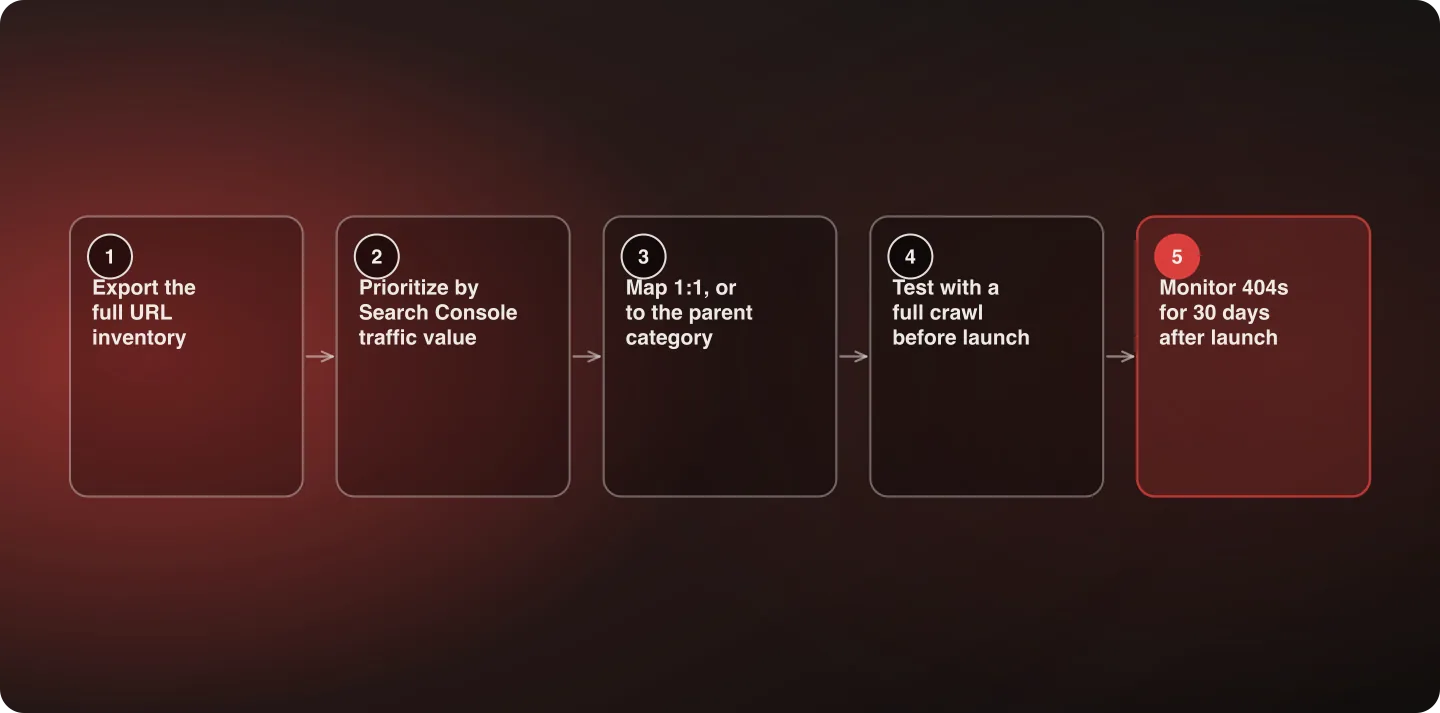
Redirect mapping is a five-step process: full URL export, traffic-value prioritization via Search Console, 1:1 or parent-category mapping, pre-launch crawl testing, and 30-day post-launch 404 monitoring. Skipping any one of those steps is where SEO equity gets lost during a replatform.
Last verified: September 6, 2026.
The five steps, in detail
1. Export everything. Every URL with meaningful traffic, not just the pages in the primary navigation. Old blog posts, discontinued product pages, and legacy category pages are the most commonly missed, and they're often the ones carrying external backlinks nobody on the current team remembers earning. Pull from the platform's own export, the XML sitemap, and a full crawl — each one catches URLs the others don't.
2. Prioritize by real traffic value. Cross-reference the inventory against Search Console impressions and clicks so mapping effort concentrates where it matters. Treating every URL as equally important is how teams run out of time at 80% coverage and leave the wrong 20% unmapped.
3. Map deliberately. A genuine 1:1 match wherever a true equivalent exists; a parent-category redirect where it doesn't. Never the homepage. For a discontinued product, the most relevant category page is a real destination for both a search engine and a human who followed an old link — the homepage is neither.
4. Test before launch. A full automated crawl against the complete redirect map, not a spot-check of the top 20%. The point of a full crawl is catching the mechanical failures — a rule that matches too broadly, a redirect chain three hops deep, a mapped destination that itself 404s — which a sample simply won't surface.
5. Monitor after launch. Watch 404 reports closely for 30 days. Real traffic surfaces edge cases a pre-launch audit misses: bookmarked URLs, external backlinks pointing at unexpected paths, and URLs with query parameters nobody thought to inventory.
The single most expensive mistake
Blanket-redirecting everything without an equivalent to the homepage. This preserves almost none of the original page's ranking signal and, at scale, reads to search engines as a soft 404 pattern rather than a set of legitimate redirects. It's attractive because it's one rule instead of hundreds of decisions, and that's exactly why it keeps happening under deadline pressure.
The honest alternative isn't hundreds of hand-made decisions either. Most of a catalog maps by pattern — old category path to new category path — and the hand-made decisions are the residue: discontinued products, retired campaigns, and one-off pages. Prioritizing by traffic value (step 2) is what keeps that residue to a manageable size.
Redirect chains and loops
Two mechanical problems worth checking for explicitly, because both pass a casual spot-check. A redirect chain — old URL to intermediate URL to final destination — dilutes signal and slows the crawl; collapse every chain to a single hop against the final destination. A redirect loop takes a page out of the index entirely. Both are found by a crawl and essentially never found by eye.
What to do with URLs that genuinely have no destination
Some pages have no reasonable equivalent and no relevant parent — a retired campaign landing page, for instance, or a category that no longer exists in any form. Those are legitimate 410s or 404s, and marking them as such is better than redirecting them somewhere irrelevant to keep a coverage number at 100%. The distinction that matters is deliberate versus accidental: a 404 you chose is fine, a 404 you missed is the problem.
The size of this job scales with the catalog, not with the site's page count: buybuy BABY's 30,000+ SKUs is a redirect inventory that no amount of manual mapping gets through, which is exactly why step 2 exists.
How to actually build the map
The mechanics matter, because the difference between an 80% map and a 100% map is usually process rather than effort. A workable sequence:
- Build one inventory from three sources — the old platform's own URL export, its XML sitemap, and a full crawl. Deduplicate. Each source misses a different category, and the union is the only honest inventory.
- Add a fourth source: Search Console. URLs that receive impressions but appear in none of the three above are usually the most valuable ones in the whole exercise — old pages with external backlinks that the current site no longer links to.
- Map by pattern first. Most of a catalog follows a rule: old category path to new category path, old product path to new product path. Write the rules, apply them, and see what's left.
- Hand-map the residue, in traffic-value order. This is where the time goes, and prioritization is what keeps it finite.
- Crawl the finished map against the staging site, asserting that every source URL returns a single 301 to a 200.
Keep the map in a form that survives the project — a spreadsheet or a CSV in the repository, not a set of rules that exist only in a platform's admin. Six months later, someone will need to know why a specific URL points where it does.
Parameters, pagination and faceted navigation
Three categories of URL routinely get left out of the inventory because nobody thinks of them as pages.
Query parameters. Tracking parameters, session ids, and sort orders can multiply a catalog's URL count enormously. Most of these do not need individual redirects — they need the new platform to handle them consistently, canonicalizing to the clean URL. The ones that do need mapping are parameters that changed the content, such as a color or size filter that produced a genuinely distinct page.
Pagination. Category page 2, page 3 and beyond often carry real impressions. If the new platform paginates differently — infinite scroll, or a different parameter name — decide deliberately what those old URLs should do rather than letting them 404 by omission.
Faceted navigation. If the old site generated indexable URLs for filter combinations and the new one doesn't, that's a large set of URLs disappearing at once. Redirect them to the parent category rather than leaving them, and expect the index count to drop by design — record that expectation before launch so it isn't mistaken for damage afterwards.
Where this fits
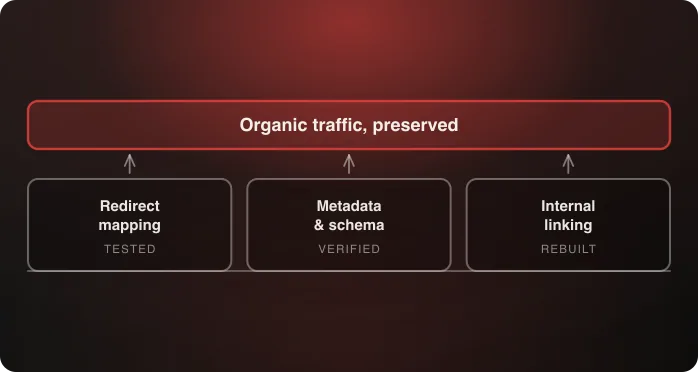
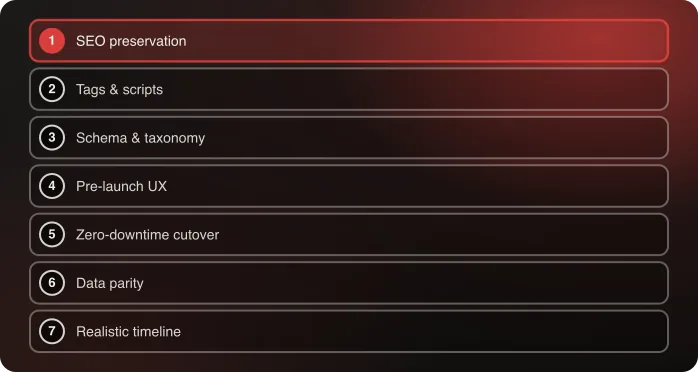
Redirect mapping is one part of the broader SEO preservation playbook, which also covers metadata carryover and internal linking, and one of the seven disciplines in Anatta's replatforming method. If traffic has already dropped and you're working backwards, start with why organic traffic drops after replatforming.
Frequently Asked Questions
Should every old URL redirect to something?
Almost. Either a true 1:1 equivalent or the most relevant parent category. Never default to the homepage — it preserves almost no ranking signal and can read as a soft 404 pattern at scale. A page with no reasonable destination is better served by a deliberate 410.
How do I prioritize redirect mapping effort?
By actual traffic value from Search Console, not by assuming every URL matters equally. That's what keeps a team from running out of time at 80% coverage with the wrong 20% left unmapped.
What's a redirect chain and why does it matter?
A chain is an old URL redirecting to an intermediate URL that redirects again to the final destination. It dilutes ranking signal and slows crawling. Collapse every chain to a single hop pointing at the final destination — a crawl finds these, a spot-check doesn't.
How long should I monitor 404s after launch?
At least 30 days. Real traffic surfaces edge cases a pre-launch audit can't — bookmarked URLs, external backlinks pointing at unexpected paths, and parameterized URLs nobody inventoried.
Do query-parameter URLs need individual redirects?
Usually not. Tracking, session and sort parameters need consistent canonicalization to the clean URL rather than a redirect each. The ones that do need mapping are parameters that produced genuinely distinct content, such as an indexable color or size filter.
Where should the redirect map live after launch?
In a durable artifact — a CSV in the repository or a maintained spreadsheet — not only as rules inside a platform admin. Six months later somebody will need to know why a specific URL points where it does.
Talk to an architect about your redirect strategy.

Related