












Marketing Tags & Scripts: The Replatform Step That Breaks Silently
August 26, 2026
Marketing tags and tracking scripts are the data lifeline that keeps every downstream marketing system running — conversion tracking, retargeting audiences, attribution models. A replatform that doesn't treat this as its own discipline, separate from feature and functional QA, loses that data silently: nothing visibly breaks, reporting just quietly goes wrong for weeks before anyone notices.
Last verified: September 6, 2026.
Why this gets missed more than almost anything else in a replatform
Every other discipline in this series has a visible failure mode. A broken redirect returns a 404. A checkout bug is obvious the first time someone tries to buy something. A missing conversion tag has no visible failure mode at all: the storefront works perfectly, the checkout completes, and the only symptom is a number that's wrong in a dashboard somewhere.
That number takes real analysis to notice, weeks after launch, by which point the root cause is much harder to trace back to the migration itself. Nobody files a bug for it, because nobody experiences it — which is precisely why it needs a named owner and a pre-launch gate rather than a general expectation that someone checked.
What actually needs to migrate
More than most teams assume, and the list is worth writing down before anything moves:
- Conversion pixels — Meta, Google Ads, TikTok, Pinterest, and any other ad platform's tracking code
- Analytics tags — GA4 and any custom or secondary analytics implementation
- Tag manager containers — if tags were deployed through a container, the container itself needs to migrate rather than being assumed to carry over
- Custom event tracking — product-page views, add-to-cart events, and any custom funnel-stage events built specifically for your business's reporting
- Third-party marketing tool integrations — email platform sync scripts, loyalty program tracking, affiliate tracking codes
The last two are the ones institutional memory loses first. A custom event added two years ago for one campaign, still feeding a dashboard someone reads weekly, is exactly the kind of thing that exists in nobody's documentation and everybody's assumptions.
The audit process
- Inventory everything currently firing. The most reliable method is reading your tag manager's container directly, or crawling your current site's page source for every third-party script tag — not relying on institutional memory of what was set up and when.
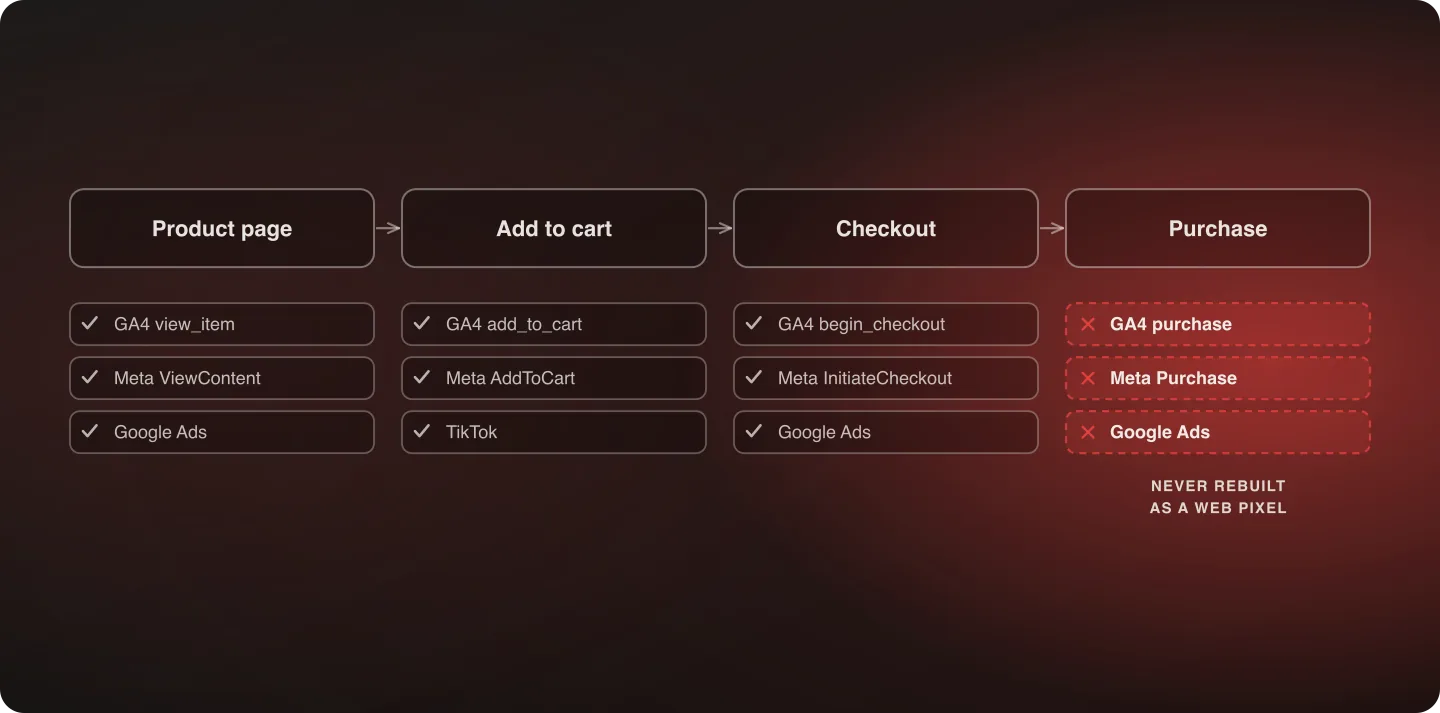
- Categorize by funnel stage. Which tags fire on product pages, which on add-to-cart, which at checkout, which post-purchase. Each stage needs independent verification after migration, because a tag firing correctly at one stage doesn't guarantee it fires at another.
- Rebuild on the new platform's tracking mechanism. For a Shopify migration specifically, that means Web Pixels rather than hand-coded script tags. This isn't optional cleanup — it's the actual replacement mechanism, and a tag that isn't rebuilt as a Web Pixel typically won't fire at all post-migration.
- Verify with each platform's own event-testing tools. Meta's Events Manager test tool, Google Tag Assistant, and the equivalent for anything else in the stack. Don't verify by checking that a tag exists in the page source; verify that it fires and sends correctly-formatted data.
- Monitor reporting continuity for two to four weeks post-launch. Compare reported conversions, audience sizes, and funnel-stage events before and after migration. Because this discipline's failures are invisible in QA, the real verification window is watching live data after launch, not just testing before it.
Step one is the one worth over-investing in. An audit built from an incomplete inventory verifies the tags you remembered and silently ignores the ones you didn't, which produces a green checklist and the same outcome as no audit at all.
Why checkout is where this most often breaks
Tracking that lives in a checkout customization is the highest-risk category in the whole inventory, for two reasons that compound each other. It's the furthest from anyone's daily view, so it's the least likely to be inventoried. And on a Shopify migration it's the code most likely to have no direct equivalent — hand-coded scripts in a legacy checkout have to be rebuilt as Web Pixels rather than ported.
It's also where the most valuable events live. A product-page view that stops firing costs you some audience quality; a purchase event that stops firing costs you the signal every ad platform's optimization depends on most. If time is limited, verify the post-purchase stage first and work backwards up the funnel.
If the store being migrated still has legacy checkout customizations, that's a related deadline in its own right — see the checkout.liquid migration guide for what has to move and where it goes.
Why this connects to paid media performance, not just reporting accuracy
A missing or broken conversion pixel doesn't just mean bad numbers in a dashboard. Ad platforms use conversion data to optimize delivery in real time, so a pixel that silently stops firing correctly can degrade an ad account's performance well beyond the missing data itself — the platform's own optimization is now working from a corrupted or incomplete signal.
This is a paid-media revenue problem wearing a technical-migration costume, and it's usually invisible until someone notices ad performance declining and traces it back. The cost is also asymmetric: the reporting gap ends the day the tag is fixed, but an ad account that spent three weeks optimizing against a bad signal needs a further learning period to recover.
A worked example: what actually goes wrong
A brand migrates its storefront successfully. Every feature works, checkout completes, the launch looks clean. Three weeks later the marketing team notices Meta ad performance has quietly declined, with cost-per-acquisition climbing for no apparent reason.
The cause traces back to a purchase-conversion pixel that was never rebuilt as a Web Pixel during migration. It existed in the old platform's checkout customization and simply didn't carry over. For three weeks every campaign optimized against incomplete conversion data, effectively flying blind on the single signal Meta's algorithm relies on most.
The fix took an afternoon once found. Finding it took three weeks, because nothing about the storefront itself ever looked broken — which is the entire shape of this failure mode, and the reason it needs a pre-launch gate rather than a post-launch investigation.
A common mistake: treating this as marketing's problem
Because tags and scripts feel like a marketing concern, they sometimes get left off the technical QA checklist entirely, on the assumption that marketing will handle their own tracking. That's backwards. Rebuilding tags as Web Pixels is genuine engineering work, and marketing teams typically have neither the access nor the platform expertise to do it themselves.
Assign explicit ownership the same way you would for any other technical migration task: engineering owns the rebuild and the verification, marketing owns the inventory and says what has to be tracked and why. What fails is the arrangement where neither team names an owner and each assumes the other has it.
Building this into the pre-launch checklist
The worked example above is preventable with one specific practice: treat tag and pixel verification as a mandatory pre-launch sign-off, with a named owner, exactly like any functional QA item.
A checklist line as simple as "every conversion pixel verified firing via its own platform's test tool, at every funnel stage" — checked off before launch rather than assumed — would have caught that gap before it cost three weeks of degraded ad performance. It belongs on the replatforming checklist alongside the redirect and data-parity gates, not on a post-launch list.
Set the reporting baseline before launch, too. Export conversion counts, audience sizes and funnel-stage event volumes for the preceding few months while the old tracking is still running, because the comparison you'll want in week three is much harder to reconstruct afterwards.
How this fits with the rest of the replatform
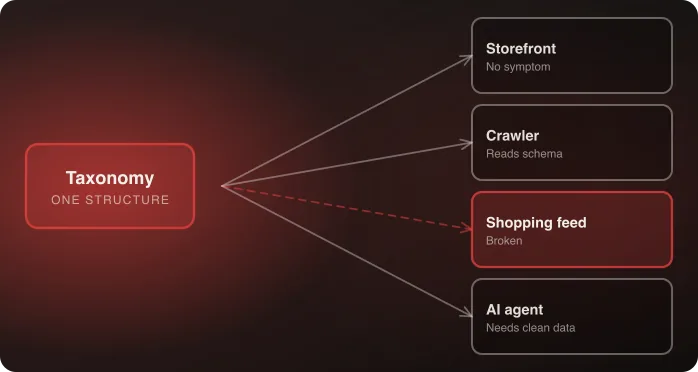
This discipline sits alongside — but is distinct from — SEO preservation and product schema and taxonomy mapping. All three share the same underlying risk profile: invisible failure, discovered only through downstream symptoms rather than direct QA.
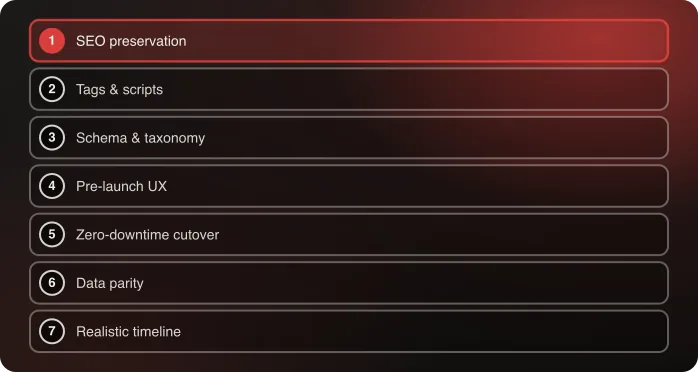
Treating all three as a single "make sure the data is right" checklist item, rather than three distinct audits with three distinct owners, is how gaps in any one of them slip through. Marketing tags is the second of the seven disciplines in Anatta's replatforming method, and it's second because its failures are the fastest to start costing money and the slowest to be noticed.
For a sense of how much tracking surface a real migration carries: buybuy BABY's move to Shopify Plus integrated nine vendors alongside the core platform, several of them with their own tracking and sync scripts. Every one of those is an inventory line, and none of them shows a symptom on the storefront when it breaks.
Frequently Asked Questions
What marketing tags need to migrate during a replatform?
Conversion pixels (Meta, Google Ads, TikTok, and others), analytics tags, tag manager containers, custom funnel-stage event tracking, and any third-party marketing tool integrations that rely on tracking scripts.
Why do marketing tags break so often during migrations, and why doesn't anyone notice right away?
Because a missing tag has no visible failure mode — the storefront and checkout work perfectly. The only symptom is inaccurate downstream reporting, which requires someone to actively notice and investigate, often weeks after launch.
How do I verify tags migrated correctly?
Use each ad or analytics platform's own event-testing tools — Meta Events Manager, Google Tag Assistant — to confirm tags actually fire and send correctly formatted data. Don't just check that a tag exists in the page source; a tag can be present and still misconfigured.
Who should own marketing tag migration — marketing or engineering?
Engineering owns the rebuild and the verification, with marketing's input on what needs tracking and why. Rebuilding tags as Web Pixels, Shopify's replacement mechanism for hand-coded tracking scripts, is genuine technical work most marketing teams aren't equipped to do themselves.
Can a broken conversion tag affect ad performance, not just reporting?
Yes. Ad platforms use conversion data to optimize delivery in real time, so a silently broken pixel can degrade an ad account's performance beyond the missing data itself. The cost is asymmetric too — the reporting gap ends when the tag is fixed, but the account needs a further learning period to recover.
Where in the funnel is tracking most likely to break?
Checkout. Tracking that lived in a checkout customization is the least likely to be inventoried and the most likely to need rebuilding rather than porting — and it carries the purchase event, which is the signal ad platforms depend on most. Verify the post-purchase stage first and work back up the funnel.
Talk to an architect about your marketing tags migration plan.

Related