












The Enterprise Guide to Migrating to Shopify
September 1, 2026
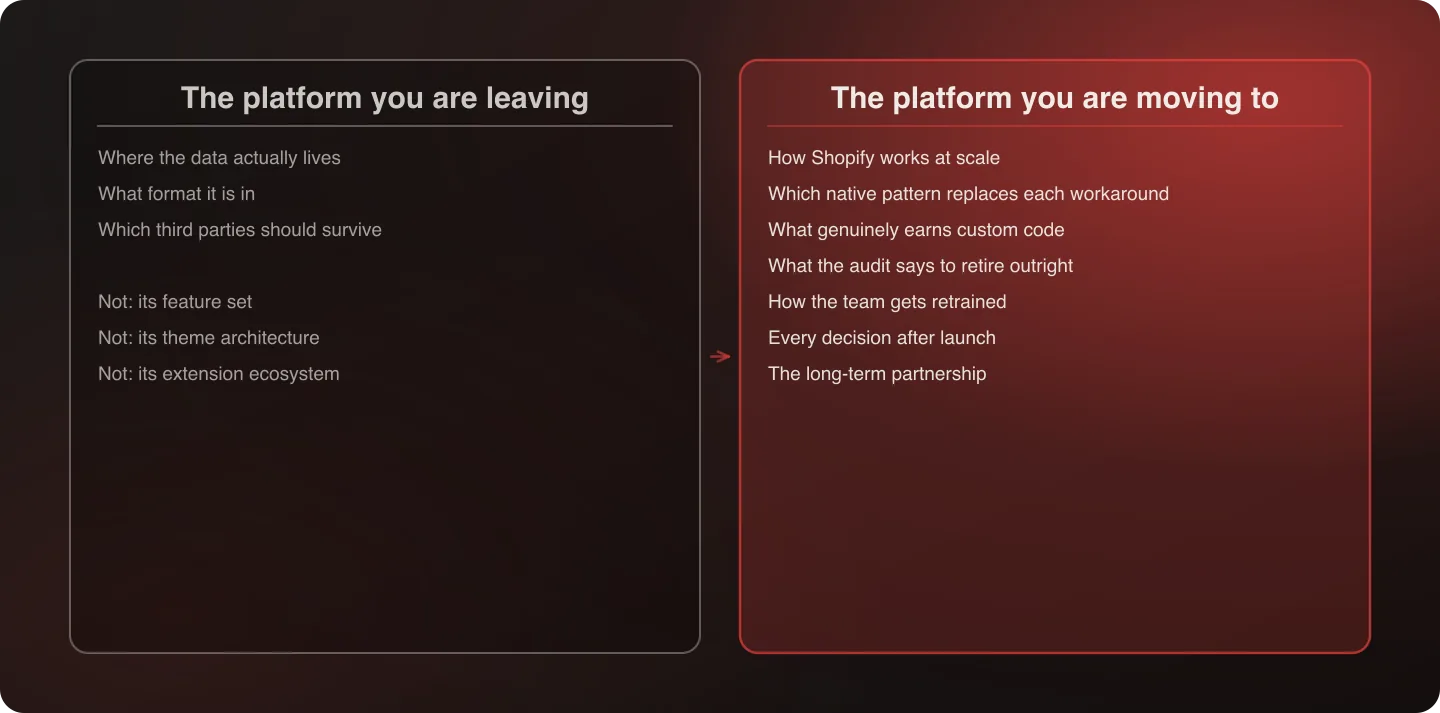
Most merchants believe understanding their current platform deeply matters as much as understanding Shopify. It doesn't. You're leaving your current platform for a reason — the expertise you need lives in the system you're moving to, not the one you're leaving. What matters about the old platform is narrow and mechanical: where the data lives, and how to get it out cleanly. Everything else is a distraction from the real work.
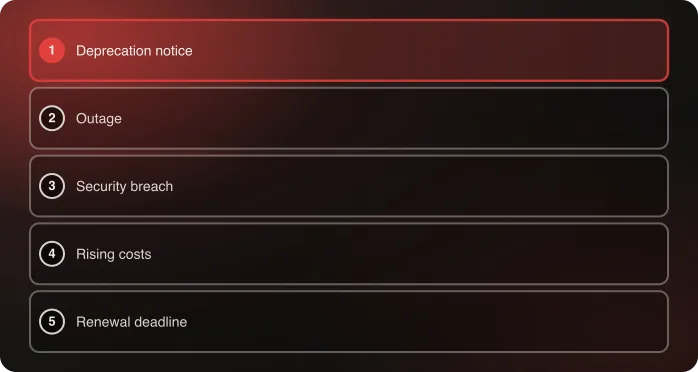
If something specific just happened that has you looking at Shopify right now — a deprecation notice, an outage, a breach, a rising bill, or a renewal deadline — start with the five triggers before the rest of this guide. What brought you here changes what to prioritize once you're in it.
Last verified: September 6, 2026.
The instinct almost every merchant gets backwards
Ask a brand planning a migration what they're worried about, and the answer is almost always some version of "making sure the new system understands how we do things." That instinct feels responsible. It is also the single biggest source of wasted time, wasted budget, and bloated custom code in enterprise replatforms.
Here's why. You're moving off your current platform because it isn't working for you anymore. Deep knowledge of how that system handles pricing rules, or fulfillment logic, or checkout customization, is not expertise worth preserving — it's a description of a system you've already decided to leave. Paying to have that logic documented in exhaustive detail, and then paying again to have it faithfully reproduced in the new system, is paying twice to keep the problem you set out to solve.
What you actually need is the opposite kind of expertise: deep knowledge of how Shopify works, out of the box, at scale. That's simultaneously your immediate problem (getting live) and your long-term relationship (everything after launch). An agency that spends the sales process demonstrating how well it understands your Magento instance is demonstrating expertise in the wrong system.
Why the instinct persists even though it's costly. It comes from a reasonable place: teams worry that a partner who doesn't understand their current setup will miss something important during the move. That worry is real, and it's solvable with the short list below — you don't need a partner who has mastered your old platform, you need one who is rigorous about the handful of things that genuinely carry forward. Conflating "rigorous about data" with "expert in our old platform" is where the cost creeps in, because the second one invites months of discovery spent documenting a system you're about to retire.
There's a second cost, and it's the one that lasts. Time spent proving origin-platform fluency is time not spent on the destination. A discovery phase that produces a beautiful map of your current system and a thin plan for the new one has optimized for the wrong artifact — the map gets thrown away at cutover, and the thin plan is what your team lives inside for the next several years.
What actually matters about your current platform
This isn't an argument that your current platform is irrelevant. A few things about it genuinely matter — just far fewer than most merchants assume, and none of them require deep platform expertise to answer:
- Where does the data actually live? Order history, customer records, product catalog, and any custom fields — identifying the real source of truth for each, which is not always the platform itself.
- What format is it in, and what has to change to land correctly in Shopify? This is an extract-transform-load question, not a platform-expertise question. The same discipline applies whether you're moving off Magento, BigCommerce, Salesforce Commerce Cloud, WooCommerce, or something custom-built.
- Which third-party systems should survive the move? Not everything connected to your current platform needs replacing — see below.
That's the list. Notice what isn't on it: your current platform's feature set, its admin UI, its theme architecture, its extension ecosystem. None of that transfers, none of it needs replicating, and none of it should shape how the new system gets built.
A test worth applying to any migration proposal you receive. If a prospective partner's discovery process spends more time on your current platform's internal workings than on your data's structure and your third-party landscape, the engagement is scoped around the wrong system. Discovery should be short and mechanical on the origin side, and deep and rigorous on the destination side. A week-by-week walkthrough of what that actually looks like is the fastest way to see whether the process you're being sold has the right shape.
The custom-to-custom trap
Here's the pattern behind almost every replatform that goes over budget, over timeline, or both. A team convinces itself its business is unique enough that Shopify's native patterns won't work, and rebuilds the old platform's custom logic inside the new system instead of adopting how Shopify actually works.
This is moving custom to custom. It doesn't solve the problem that made the old platform hard to maintain — it relocates that problem onto a more expensive, harder-to-support foundation, because now you're carrying custom code on a platform whose whole value proposition was reducing how much custom code you need.
The honest test: for every piece of "we need this because of how we operate" logic, ask whether it exists because customers or the business genuinely require it, or because your old platform made the native, simpler approach difficult. In our experience a meaningful share of "must-have custom" requirements fall into the second category — workarounds for a limitation that doesn't exist on Shopify, carried forward out of habit rather than need.
The alternative that actually saves money: adopt the new system, retrain the team. Retraining people to work inside Shopify's native patterns is consistently cheaper and faster than building custom logic to make Shopify behave like your old platform. This isn't a values statement about doing things the right way. It's the practical, budget-and-timeline-driven conclusion every disciplined replatform reaches eventually, usually after learning it the expensive way on a previous project.
What "adopt, don't rebuild" looks like concretely. Take pricing rules. An old, heavily customized platform might have a bespoke rules engine built over years to handle promotions, tiered discounts, and exceptions. The instinct is to specify that entire engine as a requirement for the new build. The disciplined alternative: map your actual promotional patterns against what Shopify's native discounts and Functions already support, and build only the genuine gap — very often a fraction of what the original requirements list implied, once someone checks rather than assumes.
Why this is a team problem as much as a technical one. The custom-to-custom trap isn't purely an engineering mistake. A team that has spent years mastering the old platform's quirks has real expertise and understandably wants it to stay relevant. Retraining that same team on Shopify's native patterns respects the expertise — they're the ones who'll use it — while redirecting it toward a system that doesn't require the workarounds their skill was built around.
The full audit, with worked examples, is the single highest-leverage document in this series. If you read one spoke, read that one.
Which third parties should actually stay
Not every integration connected to your current platform needs replacing during a migration, and treating "replace everything" as the default adds unnecessary risk and cost to a project that is already complex enough.
The real question for each third-party system: does it work well with both your current platform and Shopify, and does keeping it reduce the number of moving parts in the migration itself? A payment gateway, a tax engine, or a fulfillment system that already integrates cleanly with Shopify is a strong candidate to keep. Replacing it adds migration risk without a corresponding benefit.
What this looks like in practice: an ERP or OMS that is actually working — not beloved, just functionally fine — is usually worth integrating with rather than replacing. That's the principle behind Nuts.com's migration, where the existing order and warehouse management systems were integrated into the new Shopify Plus build rather than replaced, preserving institutional knowledge and staff familiarity while custom code fell 85% elsewhere.
The mistake to avoid: treating a replatform as an opportunity to replace the entire technology stack at once. Every additional system you swap out during the same project is another variable that can go wrong during cutover, tested on the same compressed timeline as the platform migration itself. Keep what works. Replace what's actually broken. Don't conflate the two.
A simple decision framework for each third-party system:
- Does it already have a native or well-supported Shopify integration? If yes, that's a strong signal to keep it rather than find or build a replacement.
- Is it causing problems today, independent of the platform migration? If the honest answer is no, the migration isn't the moment to fix something that isn't broken.
- Would replacing it mean retraining staff on a new tool at the same time they're learning Shopify? Stacking two learning curves during one transition is a real and underestimated cost — sometimes the deciding factor even when a better alternative exists on paper.
The full framework covers how to sequence these decisions and what to do when a system genuinely does need replacing.
The method, in five steps
Whether you're moving from Magento, BigCommerce, Salesforce Commerce Cloud, WooCommerce, or a custom-built system, the same method applies — because the method was never really about the origin platform:
- Identify the data — where it lives, what format it's in, and what has to transform to land correctly in Shopify. The ETL method covers this end to end.
- Audit for the custom-to-custom trap — for every piece of must-have custom logic, determine whether it's a real requirement or an inherited workaround.
- Decide what stays — which third-party systems already work well with Shopify and should be integrated rather than replaced.
- Build on Shopify's native patterns first, reserving custom development for what genuinely earns it after the audit above.
- Retrain the team on the new system rather than paying to make the new system behave like the old one.
Steps one through three belong in discovery, before requirements get locked and before a build is scoped. That sequencing is not a preference — a keep-or-replace decision reversed after engineering has started costs several times what it costs during discovery, and a custom requirement that reaches an RFP unaudited gets quoted by every vendor as though it were real.
This is also why the five platform-specific guides below are shorter on origin-platform detail than most competing content and heavier on shared methodology. The methodology, not the origin platform, is where the expertise lives.
Three questions worth asking before you sign anything
Each of the three disciplines above has a matching test you can run on a prospective partner in a single conversation, before any contract exists. Together they're a fairly reliable filter.
- Describe your ETL method without knowing my platform. A partner with a real, repeatable method can explain extract, transform, and load with parity testing in the abstract. One without it will pivot to describing platform-specific experience, because that's what they have.
- Tell me about a requirement you talked a client out of building. An agency that has genuinely run the custom-to-custom audit can name one. An agency that treats the requirements list as the spec has never had the conversation, and won't have it with you either.
- Walk me through a past discovery phase, week by week, and tell me what it produced. Not what the launch looked like — what the phase produced as a written artifact. This is the question that separates a process from a posture.
None of the three asks about your origin platform, and that's deliberate. A partner who answers all three well and has never touched your current system is a better bet than one who knows your system intimately and can't answer any of them.
Where the proof is
The argument above is only worth as much as the evidence behind it, and the evidence deliberately isn't organized by origin platform. Nuts.com came off a homegrown platform and cut custom code 85% with total cost of ownership down 28% in year one and 41% in year two. buybuy BABY moved 30,000+ SKUs and 8.3 million customer records off Oracle ATG in 31 days, with 14 integration points live at launch. Three structurally different situations, one method.
The full proof roundup covers what those engagements actually had in common, and why a portfolio concentrated in one origin platform is weaker evidence than one that spans several.
The platform-specific guides
Each of the five below covers what is genuinely specific to that origin platform — usually a short list — plus a sourced account of what has actually been happening on it, which is often what brought a reader to the search in the first place:
- Magento to Shopify migration
- BigCommerce to Shopify migration
- Salesforce Commerce Cloud to Shopify migration
- WooCommerce to Shopify migration
- Custom-built platform to Shopify migration
And the methodology behind every step above:
- The real reasons merchants actually migrate to Shopify — the five triggers, and what each one changes
- Platform-agnostic data migration: the ETL method
- The custom-to-custom trap
- Which third-party systems should survive your migration
- What discovery actually looks like, week by week
- Proof, not platform-matching: real migrations, real results
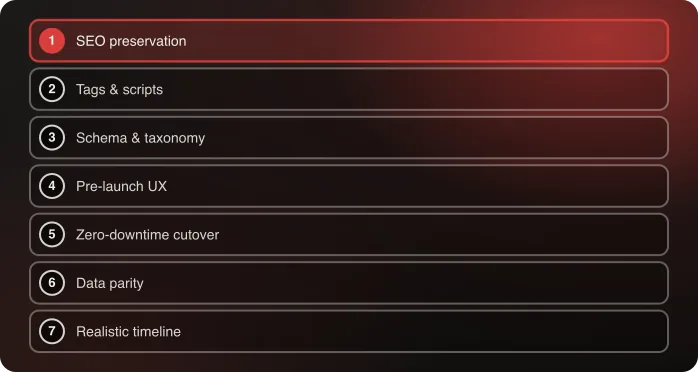
Once the destination is decided, the question becomes how to get there without losing revenue on the way — SEO equity, cutover downtime, and data parity. That's a companion method, and it picks up where this guide ends.
Frequently Asked Questions
Does the platform I'm migrating from really not matter?
It matters for a narrow, mechanical purpose — knowing where your data lives and how to extract it. It doesn't matter for the deeper question of how the new system should be built. That expertise belongs to the destination platform, not the origin.
Why do so many replatforms end up with too much custom code?
Because teams assume their business logic is unique enough to require custom rebuilding in the new system, when much of that logic was a workaround for the old platform's limitations — limitations that often don't exist on Shopify.
Should I replace all my third-party integrations during a migration?
No. Replace what's genuinely broken and keep what already works well with both platforms. Replacing everything at once adds unnecessary risk to an already complex project.
What should I actually look for in a migration partner?
Deep expertise in the platform you're moving to, not the one you're leaving. An agency that leads with how well it understands your current system is leading with the wrong credential.
How do I know if a custom requirement is real or an old-platform workaround?
Ask whether it exists because customers or the business genuinely need it, or because your current platform made a simpler, native approach difficult. A meaningful share of must-have requirements turn out to be the second category once someone checks against the new platform's current native capability.
Is it risky to keep third-party systems from my old platform during a migration?
It's often less risky than replacing them. A system that already works well with both platforms reduces the number of moving parts during cutover. The real risk is treating a migration as a reason to replace your entire stack at once.
How long does an enterprise Shopify migration take?
It depends far more on integration count and the volume of genuine custom requirements than on catalog size. Nuts.com moved a homegrown platform in six months; buybuy BABY rebuilt from scratch in 31 days under a hard deadline. Run the custom-to-custom audit before committing to a timeline, since its outcome is usually the largest single variable.
Every migration in this series ran the same five steps. If you're at the start of one, talk to an architect about what those steps would surface in your case — or read how we scope a systems replatform.
Planning a move to Shopify? Talk to an architect about your migration.

Related